
Most lost weddings aren’t lost to a broken card. They’re lost at midnight after the reception.
A tired photographer copies files in a hurry, formats the cards for the next day, and later finds a folder half empty. A good card reader and a fixed routine make that impossible. This PROLENS guide explains how to choose a reader and the simple backup routine that protects every event of a wedding.
1. Why Your Card Reader Matters
A reader is only as fast as its slowest link. Three things decide how quickly a wedding comes off your cards:
- Card type: a UHS-II SD card only reaches UHS-II speed in a UHS-II reader. In an older reader it slows to UHS-I speed.
- Connection: use a USB-C or USB 3 reader. An old USB 2.0 reader can turn a 20-minute copy into hours.
- The port on your laptop: plug into a fast port directly, not through a cheap hub.
CFexpress cards need their own reader, and fast models need a 10 Gbps USB port to reach full speed.
2. Which Reader to Carry
- Dual-slot SD/microSD reader: covers most cameras, drones and action cams.
- Dedicated CFexpress reader: essential if any of your cameras use CFexpress.
- USB-C reader for phones: handy for sending quick previews to the couple or posting a same-day teaser.
- A spare: readers are small and cheap; carry two in case one fails on the day.
3. The Wedding Backup Routine
Follow the same steps after every event: haldi, wedding and reception.
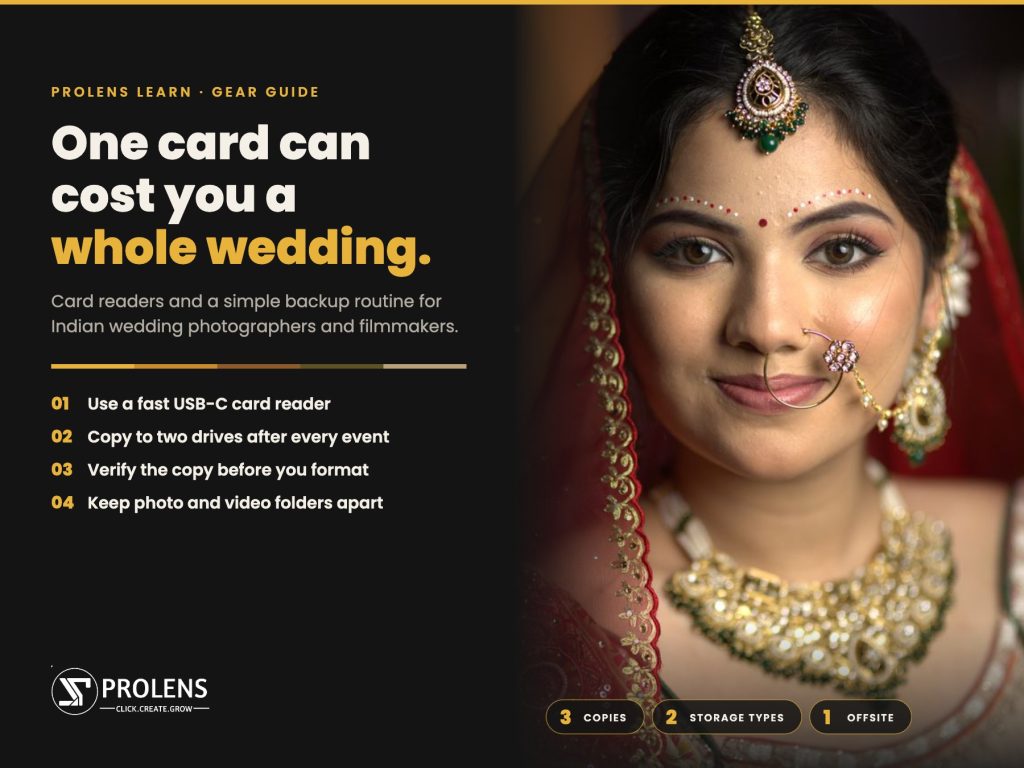
- Offload to your laptop into a folder named clearly, e.g. Priya-Rahul_2026-11-21_Wedding_CamA.
- Copy a second time to an external SSD or hard drive straight away.
- Verify the copy. Check that file counts and folder sizes match the card, and open a few files from the start, middle and end. Copy tools with checksum verification do this automatically.
- Don’t format the cards yet. Keep shot cards untouched until the files are on at least two drives.
- Store the drive separately from the laptop overnight, in a different bag.
- Back home, copy everything to a third location: a desktop drive, a NAS or cloud storage.
- Only then format the cards in the camera, ready for the next wedding.
This follows the well-known 3-2-1 rule: three copies, on two different types of storage, with one kept in a different place.
4. Shooting Photo and Video on Mirrorless?
Most wedding photographers now shoot both stills and video on the same mirrorless camera. The routine above still applies, but video changes a few things.
1. Video files change the maths. A wedding’s 4K footage is many times larger than its photos, so offloading takes far longer and needs much more drive space. Start the video offload first while you sort the photo cards. Use a fast external SSD rather than a hard drive, and check that your laptop has enough free space before the wedding season starts.
2. Set up both card slots before the wedding. Most current mirrorless cameras have two slots, and how you use them matters:
- For photos: set the camera to record to both cards at once (often called “backup” or “simultaneous” recording). Every frame then exists twice from the moment you press the shutter.
- For video: check your camera’s options. Some cameras record video to one card only, some can write a backup copy to the second card, and some record a smaller proxy file to the second slot. Know which one yours does before the ceremony, not during it.
3. Know which cards and reader your camera needs. Some popular wedding cameras, as examples:
| Camera | Slot 1 | Slot 2 |
|---|---|---|
| Canon EOS R6 Mark II | SD (UHS-II) | SD (UHS-II) |
| Canon EOS R5 Mark II | CFexpress Type B | SD (UHS-II) |
| Sony Alpha 7 IV | CFexpress Type A or SD | SD (UHS-II) |
| Nikon Z6III | CFexpress Type B (also XQD) | SD (UHS-II) |
| Panasonic Lumix S5II | SD (UHS-II) | SD (UHS-II) |
| Fujifilm X-H2S | CFexpress Type B | SD (UHS-II) |
Always check your camera’s manual for the exact cards it supports. If your camera takes CFexpress, carry a CFexpress reader as well as an SD reader.
4. Keep photo and video apart. Use a folder structure such as Event → Camera A → Photo and Event → Camera A → Video. That way a reception’s clips never get mixed up with the haldi’s, and your editor can find the right footage quickly.
5. Don’t forget your other devices. Drones, action cameras, phones on gimbals and wireless mic recorders all create files that need the same routine. Carry a microSD reader, and offload their cards with the rest of the event.
6. Verify video copies especially carefully. A corrupted photo costs you one frame. A corrupted clip can cost you the vows. Play a few seconds from the start, middle and end of the longest clips before you consider a card safe.
5. Mistakes That Cost Photographers Whole Events
- Pulling the reader out without ejecting it first.
- Dragging folders across and assuming everything copied.
- Formatting cards the same night to save space.
- Carrying the laptop and the backup drive in the same bag.
- Using a hot, cheap reader that drops the connection mid-copy.
6. End-of-Day Checklist
- All cards offloaded to the laptop
- Second copy on an external drive
- File counts and sizes checked
- Cards kept unformatted and labelled
- Backup drive packed in a separate bag
- Video and photo folders separated, and the longest clips play back
Frequently Asked Questions
Do I need a CFexpress reader?
Only if one of your cameras uses CFexpress cards. Check the card slots in your camera’s manual.
Can I offload straight from the camera with a cable?
You can, but it is usually slower and drains the camera battery. A dedicated reader is faster and safer.
Is cloud backup enough?
Not on its own at a wedding venue, where internet is often slow. Use drives on site and cloud at home.
How long should I keep wedding files?
At least until the album and film are delivered and approved; many studios keep RAW files for a year or more.